Today’s business environment just keeps on moving and moving. Regulations change, standards improve, and compliance becomes even more important. Even more so, organizations nowadays face a wide range of risks that can impact their operations and overall success.
Fortunately, an invaluable tool in the form of a risk assessment matrix is here to save the day. It is a visual framework that assists teams in evaluating potential risks. It does this by measuring every hazard’s likelihood and impact. Therefore, it allows auditors and managers to prioritize certain areas that need attention right away.
By utilizing a risk assessment matrix within an audit management software, businesses can improve their decision-making. It also enhances visibility and makes sure that resources are allocated to the most critical risks. Thus, preventing them before they turn into bigger problems.
In this article, we discuss how you can use a risk assessment matrix in audit software to make your operations safer and more compliant.
What Is a Risk Assessment Matrix
We think of it as a simple, visual way to recognize and understand the risks that one’s organization might encounter. In essence, it is a tool that helps you identify which risks are most serious and which ones are less urgent. With this system in place, you can redirect your energy to high-priority audit risk assessment areas where mitigation is required.
Sometimes, a risk assessment matrix is also called a “risk impact matrix”, a “risk evaluation matrix”, or a “risk and control matrix.” These terms present different angles on the same idea: risk organization for smarter management.
For instance, let’s say your company is launching a new software update. Here, you could make a risk assessment matrix with example entries, such as:
- System downtime
- Data loss
- User complaints
Afterwards, you outline the chances of each of them happening against the potential impact. With this, you can see the most pressing issues stand out immediately.
A risk mitigation matrix does more than check a box. It guides decisions, helps allocate resources, and prevents small problems from turning into bigger ones.
Key Components Explained
A risk impact matrix is made up of three main parts. Here is what each part means:
- Likelihood, or probability, shows how likely a risk is to happen. You can rate it as low, medium, or high, or use a number to estimate what could actually happen.
- Impact, or severity, considers how serious the risk would be if it happened. It could be a small problem or something that threatens the entire company.
- Scoring and classification come next. When you combine likelihood and impact, you get a risk score. You can sort risks into categories like low, medium, or high. With this, your team knows which ones need quick action and which just need to be watched.
In short, a risk evaluation matrix or risk control matrix turns possible risks into clear, practical steps. It is key for good risk management because it helps you plan, prevent problems, and take action before issues get worse.
Why Integrate a Risk Assessment Matrix Into Audit Software
When you use a risk assessment matrix in audit software, it makes your audits smarter, faster, and more meaningful. It doesn’t matter whether you are working on a cybersecurity risk assessment matrix or a compliance risk assessment matrix. The bottom line is this: the right software can change how you manage risks.
Benefits for Internal Auditors
Perhaps one of the most beneficial perks of using a risk assessment matrix is that it helps you prioritize high-risk areas. Instead of assigning your team to every possible problem, you can focus on the issues that truly matter. With this, you can use your audit resources more efficiently. Plus, you can spend less time chasing risks that have low impacts.
Enhanced Visibility and Reporting
Another benefit is that audit software makes it easier to visualize risks in the workplace. Here, you have interactive dashboards where you can quickly see which risks are high, medium, or low. This is very convenient for your organization. Moreover, it boosts communication with your stakeholders. Therefore, you can let everyone understand the risks and the corresponding mitigation plans clearly.
Continuous Risk Tracking
Another major advantage of using this software is continuous tracking.
The risk scores do not stay the same. They change as new information comes in. Thus, the system automatically shows new findings, so you are always dealing with current data. The software can guide you through the process. This is useful for learning how to use a risk assessment matrix or how to calculate risk assessment matrix scores.
Essentially, integrating risk assessment into audit software can turn a complex process into an actionable and easy-to-manage one. This helps internal auditors stay focused, informed, and proactive.
How to Set Up a Risk Assessment Matrix in Audit Software
Setting up a risk assessment matrix in audit software might be complex at first. However, it is really just about breaking a process into clear steps you can follow.
Once you understand what a risk assessment matrix is and how it works, you can turn it into a powerful tool.
The following are the steps you need to follow in setting up your matrix.
Step 1: Identify and Catalog Risks
The first step you need to take is to gather all potential risks that your company might face. Extract all data from past audits, data sources, and input from stakeholders. Imagine that you are creating a “risk library”. Here, you have a complete list that you can later map in your risk analysis matrix.
Step 2: Define Likelihood and Impact Scales
Now, decide how you will measure each risk. Think about how likely each risk is and what could happen if it occurs. You can use a simple scale, such as 3×3 or 5×5, to make this easier.
Clear criteria like this help everyone rate risks in the same way. This is the foundation of a reliable risk rating matrix aligned with your organization’s defined risk appetite vs risk tolerance framework.
Step 3: Configure the Matrix Template
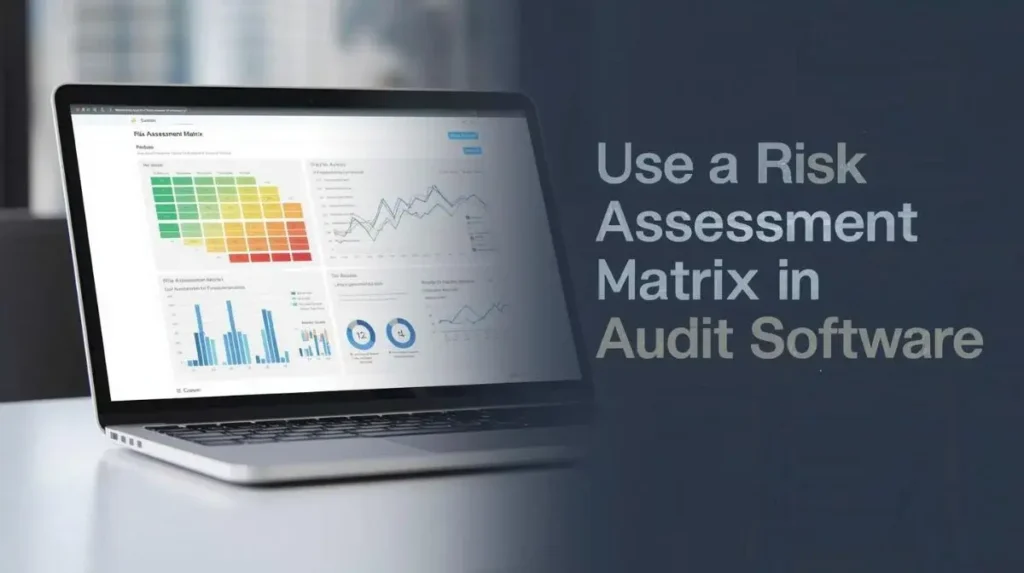
Next, build your own matrix in the software. What usually happens is that the likelihood goes on one axis and the impact on the other. There are tools that let you utilize colors to quickly highlight low, medium, and high-risk areas. For instance, you can use green for low, yellow for medium, and red for high.
Step 4: Input Risks Into the Software
Once you have your template ready, start adding each risk from your catalog. Give each one a score for likelihood and impact, and include details such as descriptions, owners, and deadlines. This fourth step turns your list into a useful risk evaluation matrix to help guide your decisions.
Step 5: Visualize the Risk Matrix
Lastly, navigate your risks visually.
There are best audit management software solutions that provide heat maps or dashboards, so you can spot the riskiest areas right away. With this, you can easily interpret the matrix output effectively.
When you follow these steps, your risk and control matrix turns into more than just a table. It becomes a helpful tool for your organization to see the bigger picture. So, you can make better decisions. In consequence, small risks do not turn into bigger problems.
Using the Risk Matrix to Drive Audit Decisions
Once you have set up your risk assessment matrix in your audit software, the real benefit comes from using it to guide your decisions. Listing risks is only the beginning. Use that information to focus your audit work, plan your responses, and follow through on your plans.
Try to see your matrix as more than just a chart. It can be your guide for managing uncertainty in a clear and strategic way.
Prioritizing Audit Actions
A risk assessment matrix with an example is helpful when you prioritize audit actions. When you have a long list of potential risks in front of you, it can be easy to get overwhelmed. However, you should remember that not every risk demands your immediate attention.
This is where your risk impact matrix becomes important. By mapping each risk according to its likelihood and potential impact, you can visibly see which areas are a greater threat to you.
Let’s imagine, for example, that your audit finds both minor documentation errors and a potential data security threat. A simple check of the matrix tells you that the security issue belongs to the high-impact, high-likelihood quadrant. This signals that it needs attention quickly, while the documentation error can be scheduled for a follow-up.
If you did not have this visual prioritization, you might have ended up wasting time chasing low-risk issues. With a systematic identification of high-priority audit actions, your matrix ensures that every decision is evidenced by data.
Developing Risk Response Strategies
Once you have made your priorities clear, the next step is developing risk response strategies. This is where your risk mitigation matrix comes in handy. For every high-priority risk, auditors and management have to decide on the most appropriate action to take. It could be mitigation, avoidance, acceptance, or transfer.
Here is how each of the works:
- Mitigation – This is reducing the likelihood or impact of a risk. It might come in the form of implementing additional cybersecurity controls in a cybersecurity risk and control matrix.
- Avoidance – This is when you take steps to eliminate the risk as a whole. This might include halting a high-risk process until such time as it can be executed safely.
- Acceptance – This is when you choose to acknowledge the risk while understanding its potential impact. Acceptance is often executed for low-likelihood or low-impact risks.
- Transfer – This is basically shifting the responsibility of the risk to a third party. You could transfer it through insurance or outsourcing.
Here, a risk and control matrix can link each identified risk directly to its control measure and action plan. It makes it easier for audit teams not only to see the possible risks, but also what needs to be done.
Documenting Follow‑Up Actions
Ultimately, a risk assessment matrix is not complete without taking note of follow-up actions.
Audits are not a one-time task and should follow a layered process audit methodology for continuous improvement. They are part of an ongoing process of monitoring, making adjustments, and improving. Once you have prioritized risks and set response strategies, it is important to keep track of what is happening. Audit software can help by linking each risk in your risk evaluation matrix to its follow-up actions, deadlines, and responsible people.
For instance, if the matrix shows a compliance gap, you can assign the responsibility to the appropriate team member. You can also set a timeline to fix it and monitor its progress directly from the dashboard. The software can also automate reminders and alerts so you can make sure that nothing gets overlooked.
In reality, the risk mitigation matrix looks like a living document. It transforms as you address risks, new threats show up, and the work environment changes.
Best Practices for Effective Risk Matrix Use
To help your organization maximize the use of a risk and control matrix, here are some tips:
Regular Updates and Reviews
You will find that a risk rating matrix is more useful if it is up-to-date. Evaluating the matrix regularly helps you make sure that changes in various aspects of the company are captured. Thus, keeping your audits relevant.
For example, in a cybersecurity risk assessment matrix, new risks can appear out of nowhere. Therefore, periodic updates are important. In the same way, a compliance risk assessment matrix may require you to make adjustments as regulations change. Knowing how to use a risk assessment matrix effectively means viewing it as a living tool, not simply a one-time exercise.
Collaborating With Stakeholders
A risk matrix works best when the right people are involved. Invite auditors, risk owners, and managers to score and review risks as a group. When everyone works together, it’s easier to understand priorities, share responsibility, and agree on how to handle risks. This approach turns the matrix into a practical decision-making tool instead of just another report.
Avoiding Common Challenges
A common challenge in scoring is that people often see likelihood or impact differently. To keep things consistent, make sure everyone uses the same clear guidelines when calculating risk assessment matrix scores. Standardizing your criteria across the team helps avoid confusion. It also ensures that your risk analysis matrix is accurate in reflecting actual risk levels.
Not Acting on High‑Risk Alerts
Perhaps another one of the biggest mistakes is spotting high-risk areas but failing to take action. A compliance risk assessment matrix should help guide decisions, not just point out problems. When high-risk alerts are ignored or delayed, the matrix can no longer protect you. Its main benefit comes from using its insights to set priorities and reduce risks before they become bigger problems.
Final Thoughts
A risk assessment matrix is more than just a chart or table for identifying threats.
It is a practical, visual tool that assists organizations in identifying, evaluating, and prioritizing risks in a clear and actionable way. A risk rating or risk analysis matrix is valuable because it helps guide decisions. It also highlights the most important areas and supports effective risk mitigation, making it a key tool.
When you add your matrix to audit software, you can track risks, see results on dashboards, and keep records of follow-up actions. For teams learning how to use or calculate risk assessment matrix scores, the software keeps things clear, efficient, and consistent.
Using a risk assessment matrix in your audit process turns risk management from a reactive task into a proactive approach. This helps your organization stay ready, focused, and confident when making decisions.
FAQs
What is a risk assessment matrix?
A risk assessment matrix is a chart that helps teams evaluate risks by assessing their likelihood and potential impact. This tool makes it easier to decide which risks need quick action and which ones can just be watched, so audits and risk management become more organized and practical.
How do you use a risk assessment matrix?
To use a risk assessment matrix, start by identifying risks and setting scales for how likely and how serious they are. Then, plot these risks in a table or with software. This helps you decide which risks to focus on and what steps to take next. You can apply this method to general audits, cybersecurity, compliance, or operational risks.
How do you calculate a risk assessment matrix?
To calculate risk assessment matrix scores, multiply the likelihood of a risk occurring by the extent to which it could affect your project. Some teams use numbers, while others label risks as low, medium, or high. The most important thing is to stay consistent so your matrix matches your organization’s priorities.
What is a risk impact matrix?
A risk impact matrix is another term for a risk assessment matrix. It shows the possible impact of each risk, making it easier to see which risks could cause the most harm and where to focus your attention first.
What is a risk and control matrix?
A risk and control matrix links each risk to the controls that help reduce it. This tool is useful for audits, compliance checks, and cybersecurity reviews because it highlights where risks are and what actions are in place or still needed to manage them.
What is a risk mitigation matrix?
A risk mitigation matrix helps you decide how to handle different risks. After you identify your top risks, the matrix shows whether you should reduce, avoid, accept, or transfer each one. It builds on your risk assessment matrix and makes sure you take action instead of just listing risks.