In today’s online world, the number of cyber threats is rising exponentially, and viruses and malicious code are some of the most common and damaging types of cyber threats. Such cyber threats can target computers and networks, leading to loss of data and financial loss. The question that most users ask is, “How can you prevent viruses and malicious code?” The answer to this question is to use a combination of security software, system updates, best practices online, and monitoring.
Answer: To prevent viruses and malicious code, install and regularly update antivirus software, keep your operating system and applications patched, avoid suspicious emails and links, download programs only from trusted sources, use strong passwords with multi-factor authentication, enable firewalls, and regularly back up important data.
This guide will explain how malicious code causes damage and how you can protect your systems.
What is Malicious Code and How Can It Do Damage?
Malicious codes refer to those software programs that were developed with the intention of harming, exploiting, or damaging computers and data. It causes harm by damaging files, stealing data, slowing down computers, or destroying networks. Malicious codes basically consist of viruses, worms, trojans, ransomware, and so on.
When harmful code infects a computer, it may:
- Delete or corrupt files
- Steal passwords and sensitive information
- Encrypt data and exact ransom money (ransomware)
- Use your system to attack other systems
- Hijacking browsers to change the settings
- Spy on your activity and send data out
These actions occur without your knowledge, leading to loss, damage to reputation, loss of time, and serious privacy issues. Malicious code is transmitted via email attachments, downloads, unsafe websites, contaminated USB devices, as well as network vulnerabilities. Knowing its mechanism will enable you to prevent it.
Why Is It Important to Prevent Viruses and Malicious Code?
Antivirus and malicious code protection help you protect your data, your privacy, and your digital assets. Cyber attacks can lead to financial, identity, and reputation-related problems. Personal users can experience data loss, including photos and authentication information, due to malware threats.
By embracing strong security practices, you can minimize the risk of getting infected and protect your devices and data.
How Can You Prevent Viruses and Malicious Code?
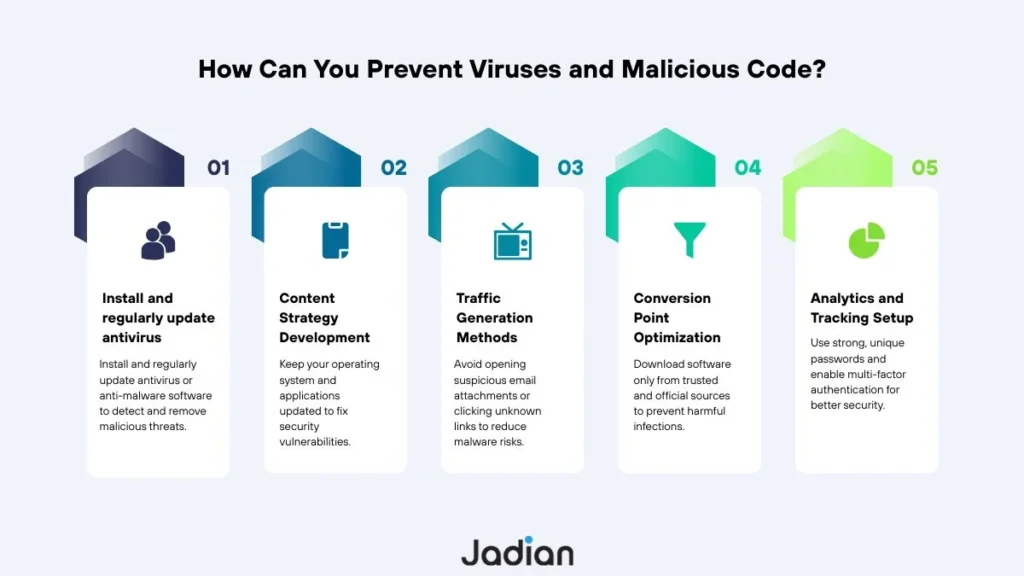
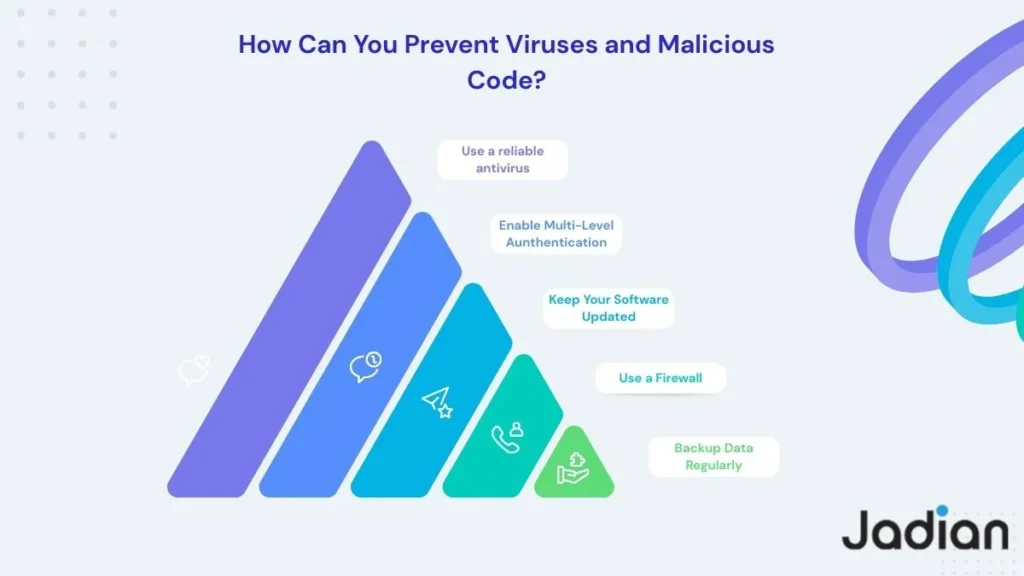
To prevent malicious code requires security tools, system updates, and safe Internet behaviors. However, below are some major strategies that might be helpful in preventing malicious code from attacking your systems.
- Use Security Software Wisely
Use good antivirus and anti-malware programs to detect viruses, block suspicious programs, and scan downloaded files. Make sure to run them regularly to allow them to function.
- Keep Your Software Updated
Software updates remove security flaws that are normally exploited by hackers. Make sure that you enable the auto-update function to ensure that you are always protected.
- Practice Safe Browsing and Downloads
Make sure that you download software from trusted sources and do not download any pirate software or ads. Make sure that you check the links before clicking on them because they may be malicious.
- Be Careful with Emails
Most malware is spread via phishing emails and attachments. Be cautious of unsolicited messages and refrain from executing attachments from unknown sources.
- Secure Your Network
Use strong passwords for Wi-Fi, modern encryption like WPA3, and firewalls to protect all connected devices against malware.
- Use Strong Passwords and 2FA
Set strong passwords, none of which you would have used in another system; enable 2FA as a sidekick to block unauthorized access to accounts.
- Backup Your Data Regularly
It helps you recover data in cases where malware corrupts or encrypts your files. Do both cloud and offline backups for better protection.
By following these best practices, it is possible to greatly reduce the risk of viruses and malicious code from affecting you. The combination of the security tools, safe online practices, and monitoring is what will keep the digital environment safe.
Types of Malicious Code and How They Work
Knowing what types of malware exist is important for easy identification of the threats and measures of prevention. Unlike other types of malicious code, each type of malware has unique characteristics and may cause significant harm if its presence is not established early.
| Type of Malicious Code | How It Works | How It Can Do Damage |
| Virus | Attaches to files and activates when files run | Corrupts or deletes files, spreads to other systems |
| Worm | Self-replicates across networks automatically | Slows networks, overloads systems, spreads malware fast |
| Trojan | Disguises as legitimate software | Steals data, opens backdoors, installs other malware |
| Ransomware | Encrypts files and demands payment | Causes data loss and financial damage |
| Spyware | Secretly monitors user activity | Steals passwords, personal data, and browsing info |
By understanding these types of threats, you will be able to recognize suspicious activity, respond well to viruses, and protect yourself against viruses and other malicious code.
Prevention Methods and Their Benefits
Various prevention techniques combine to protect against viruses and malicious code before they can cause significant harm. The following table describes various cybersecurity practices, their functions, and the advantages they offer.
| Prevention Method | What It Does | Benefit |
| Antivirus software | Detects and removes malware | Protects devices from known threats |
| Software updates | Fixes vulnerabilities | Prevents system exploits |
| Safe browsing | Avoids unsafe downloads | Reduces infection risk |
| Email filtering | Blocks phishing attacks | Prevents email-based malware |
| Strong passwords & 2FA | Secures accounts | Stops unauthorized access |
| Regular backups | Saves data copies | Enables recovery after ransomware |
Using multiple prevention techniques provides layered security that greatly reduces the risk of malware.
How Can You Detect If You’ve Been Infected?
Malware infections may manifest in different ways on your system, such as unusual system behavior, frequent system crashes, unknown programs running, unusual browser behavior, and unusual network activity.
If you notice these signs:
- Run a full antivirus scan.
- Take measures to disconnect from the internet.
- Restore files from the backup if necessary.
- Consult a healthcare specialist with deep or recurrent infections.
The symptoms that should be found and addressed with quick action can significantly reduce the impact of malware.
Real-World Examples of Viruses and Malicious Code Attacks
Viral units have resulted in severe losses in most industries in the world. Such attacks as the WannaCry ransomware that targeted hundreds of thousands of computers and NotPetya, with damages worth billions of dollars, should be noted.
In normal life, malware is commonly delivered to users by means of fake software downloads, email phishing that pretends to be bank officials, and unsafe advertisements. These incidents may result in theft of credentials, financial fraud, and loss of data.
These are some of the real-life situations that illustrate the importance of learning how malicious code works and how you can prevent viruses and malicious code before they can cause harm.
Practical Scenarios: How Malware Infects Everyday Users?
One of the common scenarios is downloading a cracked version of software, which secretly installs a Trojan that steals passwords. Another common scenario is clicking on the link in a fake delivery email, which installs ransomware. The unprotected public Internet Wi-Fi also puts the devices at risk of worms and malicious scripts.
These instances reveal the fact that cybersecurity is not only a matter of technology, but also human behaviour and practices. The possibility of being infected by malware can be significantly decreased with the careful treatment of downloads, emails, and network connections.
Read More >> What is Regulatory Compliance and Malicious Compliance
How Can You Detect Malware Infection?
Infections from malware usually manifest themselves with warning signs that your system has been infected, and recognizing these warning signs early will prevent damage. These signs include unusual behavior from your system, frequent system crashes, unknown programs running, and unexpected redirects from your browser.
If you see any of these signs, it is advised to perform an antivirus scan, disconnect from the internet, and restore your files from their backups. In addition, you should seek help if you are having problems with infections.
Why Is Prevention Better Than Recovery from Malware?
It is always easier and cheaper to prevent viruses and malicious code than to cure an infected system. It can take thousands of dollars to cure ransomware, and the data may be irretrievably lost. Legal issues, loss of business, and reputation can be affected by ransomware, and the individual may lose personal data, photos, or financial information.
By taking the necessary precautions, users can avoid these risks and keep their digital environment secure. Jadian‘s guide helps you to undersatnd the answer of this question, “How Can You Prevent Viruses and Malicious Code?“.
FAQS
How can you prevent viruses and malicious code?
You can protect yourself from viruses and malicious software by installing reputable antivirus software, keeping your system up to date, being cautious about links or downloads from unknown sources, and using secure passwords.
How can malicious code do damage?
Malicious software can steal your personal information, delete or encrypt your files, monitor your activities, or crash your computer. Some malicious software attacks also ask for ransom payments or spread through networks.
What is the difference between a virus and malware?
A virus refers to malware that is attached to files, and when it is opened, it starts. Ransomware, spyware, and worms are all types of malware, which is a term for all harmful programs.
How do most computers get infected with viruses?
Most malware infections occur due to phishing emails, unsafe downloads, deceptive websites, or clicking on malicious advertisements. Careless browsing is the leading cause of infections.
Is antivirus software really necessary today?
Yes, antivirus software is a must because it protects your computer from threats in real time by detecting and blocking them. Your computer is less secure without antivirus software.
Are there viruses on smartphones and tablets?
Yes, mobile devices can get viruses from bad apps, links, or public Wi-Fi that isn’t safe. These can be avoided by installing applications only on trusted portals and installing mobile security programs.
How often should I update my software and operating system?
It should update the device as soon as patches are released. Updates will help eliminate vulnerabilities that hackers often target.
What are the warning signs of a malware infection?
Slow performance, random pop-ups, unfamiliar software, frequent crashes, and excessive data usage are typical symptoms. These symptoms indicate that your device may be infected.
Why are backups important for protection?
Backups enable you to recover your files in case malware or ransomware targets your device. Backups will also spare you from paying the ransom.
Is using public Wi-Fi dangerous to malware attacks?
Public Wi-Fi can put your device at risk of hackers and malicious activities. Using a VPN and avoiding financial transactions can protect your data.
Conclusion
To protect against viruses and malicious code by using smart habits in addition to security software. Simple steps such as installing antivirus software, keeping up to date, not clicking on questionable links, and protecting data already go a long way in protecting against most viruses before they become a problem.
Malicious code can be very damaging. It can steal information, lock files, slow down computers, or even result in financial loss. However, with the right precautions and education, these problems can be greatly reduced.
Protecting yourself on the Internet is not difficult. Follow safe browsing practices, protect passwords, install firewalls, and continue to educate yourself on new threats. Prevention is always easier and less expensive than remediation.
Ultimately, cybersecurity is about routine. If security becomes a part of your daily routine, your computer, data, and privacy will be protected for the long haul.